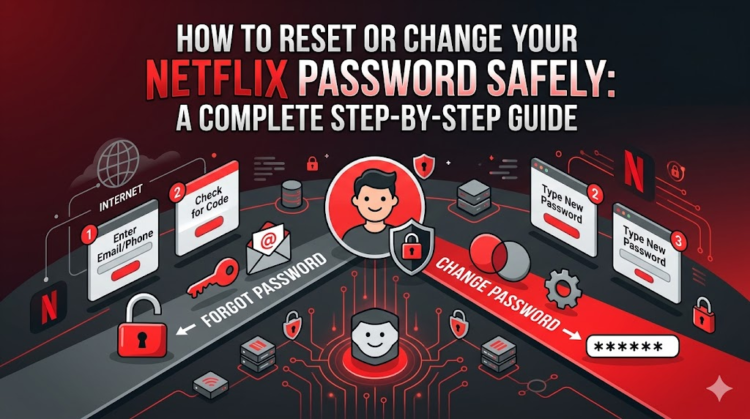
HowToForYou.com – In today’s connected world, streaming accounts hold more personal data than many users realize. From payment details to viewing history, platforms like Netflix require strong account protection. If you’ve forgotten your login details or simply want to improve your security, knowing how to reset or change your Netflix password is essential.
This guide walks you through the latest methods, adds practical security advice, and highlights common pitfalls users face during recovery.
Why Resetting Your Password Matters
Password resets aren’t just for forgotten credentials. They’re also a key defense against unauthorized access. If you notice unfamiliar activity or shared access you didn’t approve, updating your password immediately can prevent further misuse.
For You :
Security experts recommend changing passwords periodically, especially for services tied to billing.
How to Reset Your Netflix Password via Email
The most common way to regain access is through your registered email. Here’s how it works:
- Visit the Netflix login help page.
- Select the email recovery option.
- Enter the email address linked to your account.
- Check your inbox for a password reset message.
- Open the email and follow the reset link (valid for 24 hours).
- Create a new password and confirm it.
Once completed, Netflix will notify you that your password has been successfully updated.
For You :

Pro Tip
Always choose the option to sign out of all devices after resetting. This ensures that any previously logged-in sessions are securely closed.
How to Reset Your Password Using SMS
If your phone number is linked to your account, you can use text verification:
- Go to the login help page.
- Choose Text Message (SMS).
- Enter your registered phone number.
- Input the verification code sent to your device.
- Set a new password.
The verification code typically expires within minutes, so it’s best to complete the process promptly.
For You :
What If You Can’t Access Email or Phone?
In some cases, users lose access to both their email and phone number. Netflix offers an alternative recovery method using billing details:
- Select the option indicating you don’t remember your email or phone.
- Enter your name and card information associated with the account.
- If the system matches your details, a reset link will be sent to your registered email.
This method is especially useful for long-time users who may have outdated contact information.
Troubleshooting Common Password Reset Issues
Even straightforward processes can run into problems. Here are the most frequent issues and how to solve them:
For You :

1. Reset Email Not Arriving
- Check spam or promotions folders.
- Add Netflix’s official email address to your contacts.
- Wait a few hours in case of provider delays.
2. Reset Link Not Working
- Delete old reset emails and request a new one.
- Clear your browser cookies before retrying.
- Try a different device or browser.
3. Weak or Reused Password Error
Netflix blocks commonly used or compromised passwords. If you see this warning:
- Avoid simple combinations like “12345678”
- Don’t reuse passwords from other accounts
How to Change Your Netflix Password (When You’re Logged In)
If you still have access to your account and just want to update your password:
- Go to your account settings.
- Select Change Password.
- Enter your current password.
- Input and confirm your new password.
- Save changes.
Note that you may need to switch out of a kids profile before accessing account settings.
For You :

Best Practices for Creating a Strong Password
A secure password is your first line of defense. Consider these guidelines:
- Use at least 8–12 characters
- Combine uppercase, lowercase, numbers, and symbols
- Avoid personal details like names or birthdays
- Don’t reuse passwords across platforms
For convenience, many users rely on password managers to generate and store secure credentials.
Final Thoughts
Understanding how to reset or change your Netflix password is more than a quick fix—it’s part of maintaining your digital security. Whether you’re recovering access or proactively updating your credentials, following the right steps ensures your account stays protected.
For You :

If issues persist, contacting Netflix support directly is often the fastest way to resolve account-specific problems.