HowToForYou.com – For many players, upgrading a gaming monitor feels like stepping into a maze of specs, acronyms, and price tags. Ultra-high refresh rates, 4K resolutions, adaptive sync technologies, and multiple panel types can quickly push buyers toward options that exceed their budget. But knowing how to choose a gaming monitor strategically can help you focus on what truly matters and avoid overspending on features you may never use.
Here is a practical, performance-driven guide to help you make a smart decision without stretching your wallet.
How to Start: Match the Monitor to Your Hardware
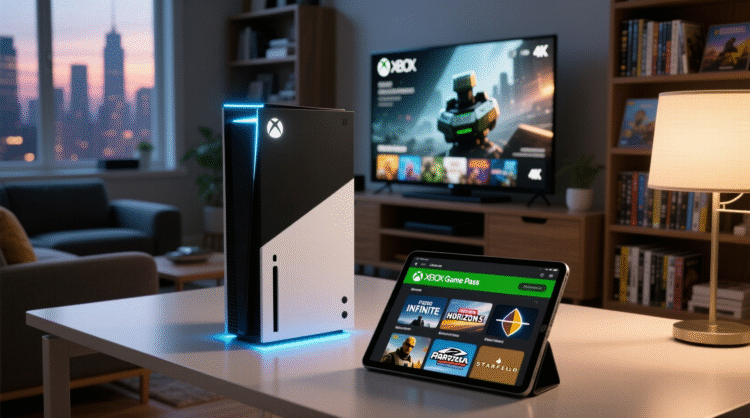
Before comparing models, assess your current setup. Your graphics card or console determines what kind of monitor will actually benefit you.
For You :
A powerful gaming PC with a recent GPU can handle higher refresh rates and resolutions. A mid-range system, however, may struggle to push stable frame rates at 1440p or 4K. Buying a high-end display without the hardware to support it often leads to wasted potential.
Console players should also consider refresh rate limitations. For example, many modern consoles support 120Hz output, but not every title runs at that frame rate consistently. Understanding your system’s capabilities prevents overspending on specs you cannot fully utilize.
How to Choose the Right Panel Type
Panel technology directly affects color accuracy, response speed, and contrast. If you are working within a budget, your choice here is critical.
TN (Twisted Nematic)
TN panels remain popular among competitive gamers because of their fast response times. If your priority is speed in first-person shooters or esports titles, TN still delivers strong value. The trade-off is narrower viewing angles and less vibrant color reproduction.
IPS (In-Plane Switching)
IPS panels have improved significantly in recent years. They offer better color accuracy and wider viewing angles, making them ideal for players who also use their monitor for work, streaming, or content consumption. Modern IPS displays now rival TN panels in response speed, often without a steep price premium.
VA (Vertical Alignment)
VA panels offer strong contrast ratios and deeper blacks. This makes them especially appealing for cinematic or story-driven games. They strike a middle ground between IPS color performance and TN responsiveness, often at competitive prices.

OLED (Organic Light-Emitting Diode)
OLED delivers exceptional contrast and image clarity. However, it remains expensive and typically sits outside the true budget category.
If you are balancing cost and performance, IPS and VA panels often provide the best overall value in today’s market.
How to Select the Right Resolution
Resolution affects both image clarity and hardware demand. Higher resolution means sharper visuals, but it also requires more GPU power.

-
1080p (Full HD) remains the most budget-friendly and hardware-efficient choice. It allows higher frame rates on modest systems.
-
1440p (2K) provides noticeably sharper visuals and has become increasingly affordable.
-
4K offers outstanding detail but demands powerful hardware and a larger investment.
For most budget-conscious gamers, 1080p paired with a higher refresh rate provides the best balance between cost and smooth gameplay.
How to Prioritize Refresh Rate and Response Time
Refresh rate determines how many times the screen updates per second. A higher refresh rate translates into smoother motion.
-
60Hz is standard but no longer ideal for competitive gaming.
-
100Hz to 144Hz offers noticeably smoother gameplay.
-
165Hz and above can benefit competitive players with capable GPUs.
Response time, measured in milliseconds, indicates how quickly pixels change color. Lower numbers reduce motion blur and ghosting.

For budget buyers:
-
Aim for at least 100Hz.
-
A response time between 1ms and 5ms is sufficient for most games.

Spending more on extreme refresh rates may not provide a visible benefit unless your system consistently pushes very high frame rates.
How Adaptive Sync Improves Value
Screen tearing and stuttering can disrupt gameplay, especially when frame rates fluctuate. Adaptive sync technologies help address this issue.
-
NVIDIA G-Sync works with compatible NVIDIA GPUs.
-
AMD FreeSync supports AMD graphics cards.

Many budget monitors now include adaptive sync compatibility, which makes this feature less of a premium add-on than it once was. Just ensure compatibility with your GPU before purchasing.
How to Match a Monitor to Your Gaming Style
Different gaming habits call for different priorities.
Competitive Players
Focus on high refresh rates and low response times. A 1080p monitor with 144Hz or higher is typically the sweet spot. Fast panel performance matters more than ultra-high resolution.
Casual Gamers
If gaming is only part of your screen time, prioritize color accuracy and viewing angles. An IPS panel with 1080p resolution and around 100Hz refresh rate offers flexibility for both work and play.
Immersive Story-Driven Gamers
Resolution and contrast matter more than ultra-fast refresh speeds. A 1440p VA or IPS panel with strong contrast can enhance atmosphere-heavy games without requiring extreme hardware.

How to Avoid Overpaying
One common mistake is chasing specifications rather than real-world performance needs. Marketing often highlights peak refresh rates, extreme brightness levels, or HDR labels that may not significantly improve your experience at the budget level.
Instead:
-
Check real-world reviews for color accuracy and motion performance.
-
Compare input lag measurements.
-
Consider long-term reliability and warranty coverage.
-
Prioritize compatibility with your existing hardware.
Spending wisely often means choosing balance over extremes.
The Bottom Line
Learning how to choose a gaming monitor is less about buying the most advanced display and more about aligning features with your gaming habits and hardware capabilities. A carefully selected 1080p or 1440p monitor with solid refresh rates and adaptive sync can deliver a premium-feeling experience at a fraction of the cost of flagship models.
With informed decisions, you do not need the most expensive screen on the market to elevate your gameplay. The right balance of resolution, panel type, and refresh rate can transform your setup without draining your budget.